
Home / Spreadsheet
The catalogue in sixteen tiles, and what to check on a listing
Every tile below opens a category or search in the product catalogue. Under the tiles: what the catalogue can and cannot tell you, and how to choose a product before Kakobuy ever sees the link.
Browse all sixteen catalogue categories
Use the categories for discovery. Actual packed size, weight, batteries and liquids determine the parcel options; a category name does not establish the route or charge.
 TeesCategory
 Hoodies and sweatshirtsCategory
 Shell jackets and coatsCategory
 Jeans and denimCategory
 Joggers and sweatpantsCategory
 WomenswearSearch results
 Jerseys and long sleevesCategory
 BeltsCategory
 SneakersCategory
 Bags and holdallsCategory
 Caps and beaniesCategory
 Glasses and sunglassesCategory
 JewelleryCategory
 WatchesCategory
 FragranceCategory
 Audio and gadgetsCategory
A catalogue card: what it shows and what it hides
A card gives you a photo, a title, a price in yuan and a link to the marketplace listing. That is enough to find a product. It is not enough to know the size chart, the seller's shipping city, whether the photo matches the item, or whether the price on the card is still the price on the listing today.
Those answers live on the listing and, after you buy, in the inspection photos. The card is the start of the check, not the end of it.
Five checks on a product before Kakobuy sees the link
Five checks, in the order that saves the most time:
- Read the variant names on the listing. Colour and size options are often written in Chinese. Kakobuy publishes a Chinese-English catalogue of common product words in help article 88; use it to confirm you picked the variant you meant.
- Find the size chart in centimetres and measure a garment you already own. Do not convert letter sizes.
- Look at buyer photos on the listing, if there are any. Use them as another view of the item; lighting, filters and screens can still change how a colour looks.
- Note the seller's city. Published regional transit examples are planning estimates; the seller’s actual dispatch and tracking matter (T-05).
- Price the box, not just the item. Shoes and bags bring boxes that raise volume weight (S-03). Compare actual packed dimensions and the selected billing rule.
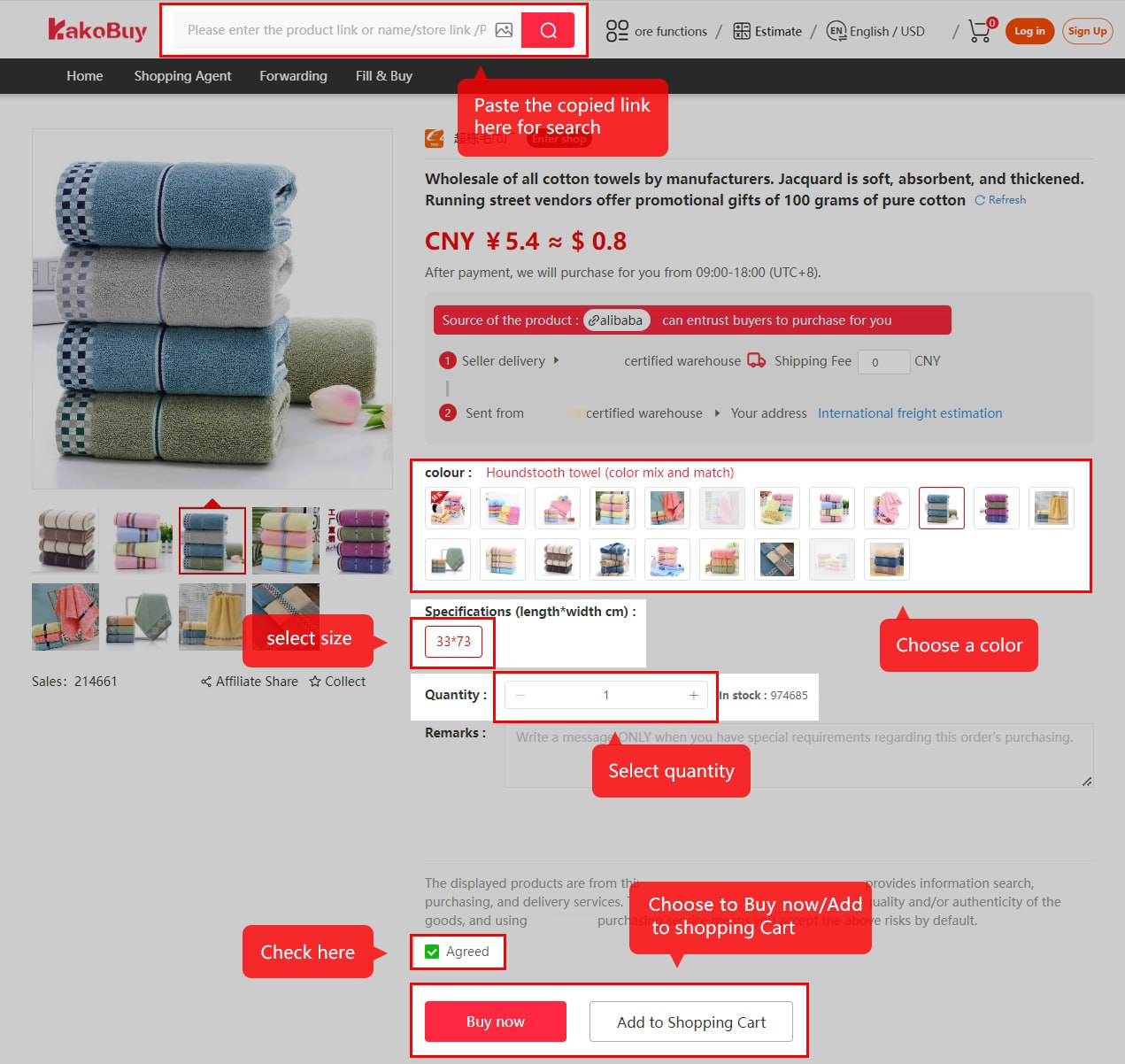
Searching by keyword versus pasting a link
The official tutorial names four platforms in product-search examples. Try the actual link and check the result. An unsupported or unreadable listing may require Fill & Buy; read its terms and verify all entered details. The catalogue search on this site is a separate discovery tool.
The catalogue search at the top of the home page is a different search: it looks through product cards, not through a marketplace. Use it to find a product, then use the link on the product page to order.
Sizing, colour and the photo you cannot trust
A listing photo can be reused or differ from the actual batch or variant. Compare seller details and buyer photographs, then inspect the actual warehouse evidence. The eligible return window is subject to item and seller conditions; QC is not an authenticity or function certificate.
For categories where fit decides everything, browse the sneakers or jeans tiles with a tape measure next to you. For categories where the line decides everything, such as audio and gadgets, read the Shipping drawer first.